Set Up Your GL-X3000 SpitzAX 5GNR WiFi 6 Router (v4.4 or below)
Connect to your X3000’s Wi-Fi or wired network. You may be presented with error notifications on your Computer or Phone that there is "No Internet" - you may ignore the message, as you are setting up your internet connection now.
Open a browser and go to
http://192.168.8.1(local admin panel). Log in or set a password if this is your first time logging in. The default admin password is: goodlife1 - otherwise, please enter the password you set up yourself. If you do not know the password, you will need to factory reset the router again and start over.Navigate to "Applications in the sidebar.
Click "GoodCloud" → Click the slider button to Enable GoodCloud (Don't click on the blue "GoodCloud" text, tick the slider button only), Tick the slider button to "Enable Remote Web Access" then set the data server to America, and check the box to agree to the terms, then press "Apply."
Your router is now set up to receive remote assistance from Customer Support.
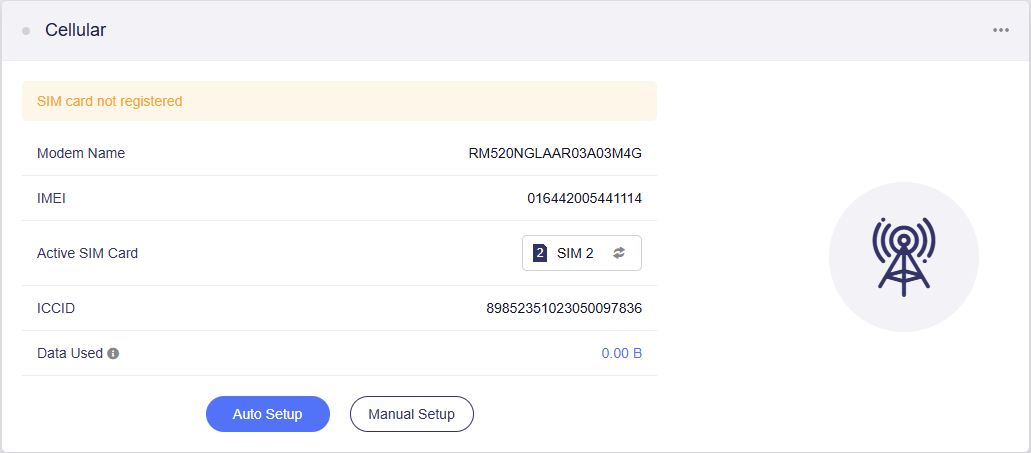
NOTE: Your router may show different information, including SIM 1 as the Active SIM Card. Please do NOT make any changes to this section. Simply pressing the Auto Setup button will be sufficient to get your router connected to the cellular network. If you have multiple sim cards installed, please power your router OFF, remove the extra sim card, and keep only your Travel Data sim card, and then power your router back on and it will connect to the cellular network.